CONTEXT
From Calendar-First to Patient-First Scheduling
I designed and prototyped this concept using an AI-assisted code-first workflow to move quickly without sacrificing fidelity. I stood up a lightweight Next.js application and used prompt-based iteration in Windsurf to rapidly generate and refine flows, allowing the prototype to behave like a real system rather than a static mock.
This approach made it possible to explore scheduling intelligence, constraints, and system behavior at a level of realism that informed product thinking, not just interface layout
Explore the prototypeRole
Lead Product Designer
Team
Leadership
Timeline
2025
Model
SAAS, Health
Tools
Figma, Windsurf (AI-native prototyping), Next.js (demo app)
The problem we needed to solve
Appointment creation in clinical software is typically calendar-first. Users search for time before they think about the patient. This exploration proposes a system-driven, patient-first model where users express intent and constraints first, and the system finds valid time options.
As Lead Product Designer for the clickable prototype, I…
- •Led a conceptual exploration to reimagine appointment creation as a system-driven matching problem rather than a calendar-first task
- •Framed scheduling around intent, rules, and constraints, shifting cognitive load from staff to the system
- •Designed and articulated a future-state flow where the system validates constraints, searches availability, and proposes ranked appointment options
- •Created diagrams, flows, and prototypes to make complex scheduling logic understandable and actionable for product and engineering partners
- •Evaluated the concept through the lens of scalability, consistency, and long-term platform evolution rather than short-term UI optimizatio
BACKGROUND
Time is a constraint, not the goal
In many clinical systems, appointment creation starts with the calendar. Staff search visually for an open slot, apply filters, scan availability, then attach a patient to the selected time.
This model assumes that time is the primary object. In reality, the primary object is the patient and their needs. The calendar is a constraint, not the goal.
This mismatch creates friction and cognitive load, particularly in busy environments where staff juggle calls, in-person requests, and appointments with varying lengths, requirements, and system constraints.
I wanted to explore what would happen if we inverted the model.
THE PROBLEM
Searching for Time Comes Before Understanding the Patient
Appointment creation starts with scanning the calendar instead of understanding the patient and their needs. This reverses the natural workflow of front-desk staff and pushes complexity onto people rather than the system. The software becomes a passive display of availability instead of an active participant in solving the scheduling problem.
HYPOTHESIS
If users start with intent, the system can do the searching
Instead of asking users to find time, we can ask them to express constraints like appointment type, appointment length, patient availability, preferred staff member, and required room.
The system can then search across availability, rules, and constraints to present valid time options.
The user becomes a decision-maker, not a scanner.
EXISTING FLOW
Calendar-first, human-driven scanning
In a calendar-first model, the flow starts with empty time instead of the patient. Staff scan availability, adjust filters, and mentally track options while switching context to find the patient and confirm whether a selected slot actually fits their needs. What should be a matching problem becomes a memory and coordination problem. As appointment types, rules, and resource dependencies increase, the workflow becomes fragile.
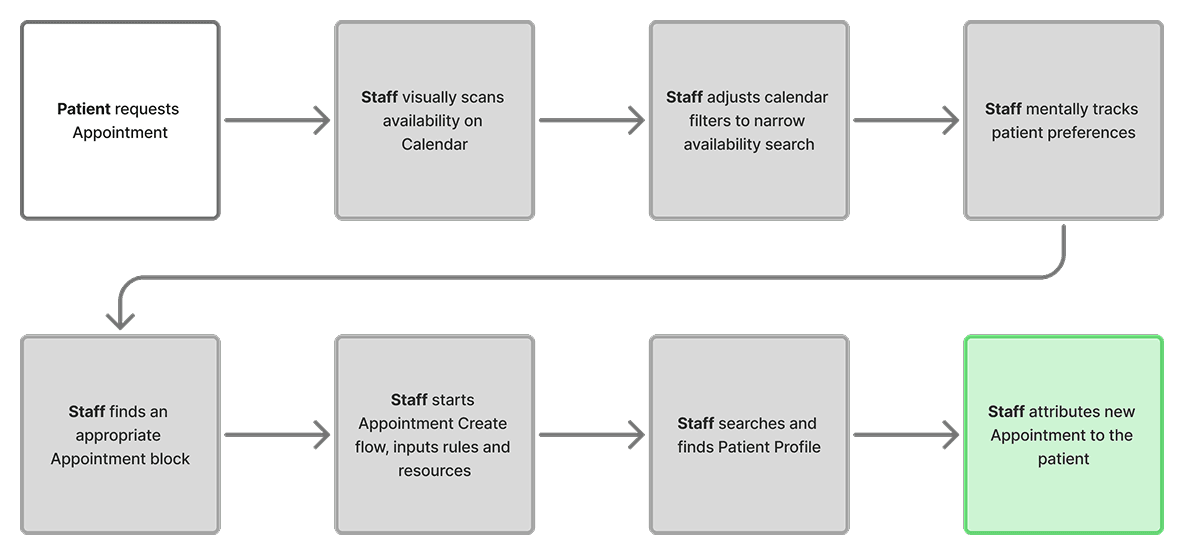
Human work
- Scan availability
- Adjust filters to narrow options
- Track patient times in working memory
- Switch between calendar and patient contexts
- Validate constraints only after selecting a time
System role
- Display available time blocks
- Offer basic filtering controls
- Passive display of availability
PROPOSED FLOW
Patient-first, system-driven matching
In a patient-first model, the flow begins with the patient rather than empty time. Staff describe the appointment’s intent and constraints, and the system searches across availability, rules, and resources to identify valid time options.
In this model, the system takes on the responsibility of validating rules, searching availability, and proposing viable options, while staff focus on confirming intent with the patient.
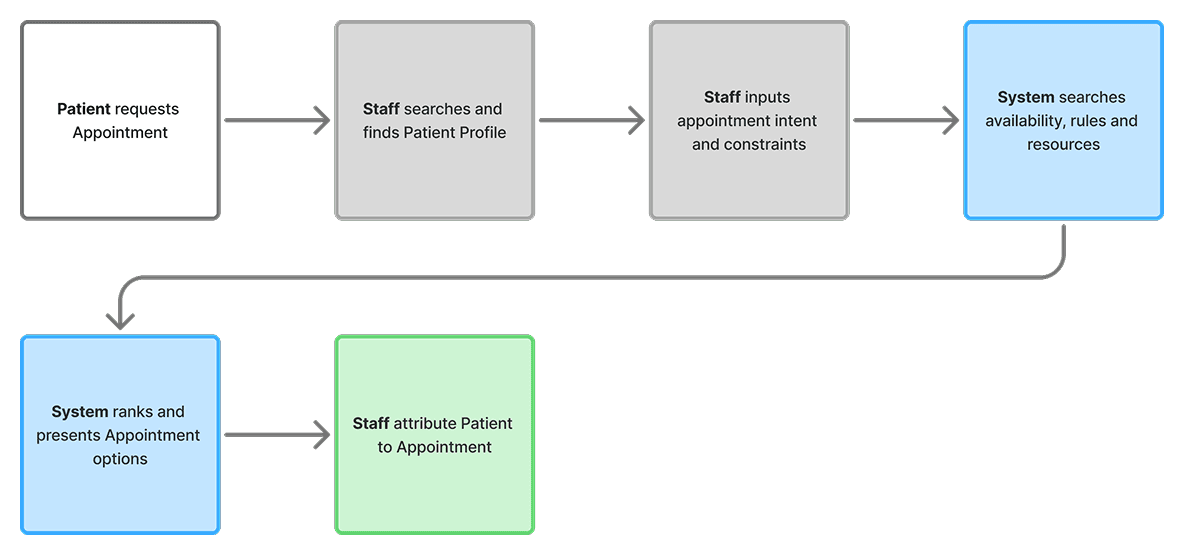
Human work
- Identify the patient and start the flow
- Express intent and constraints
- Review and compare options
- Confirm with patient
System role
- Interpret intent and constraints
- Search availability, rules, and resources
- Rank and present options
- Auto update the calendar
PROCESS
AI-native prototyping to explore system behavior
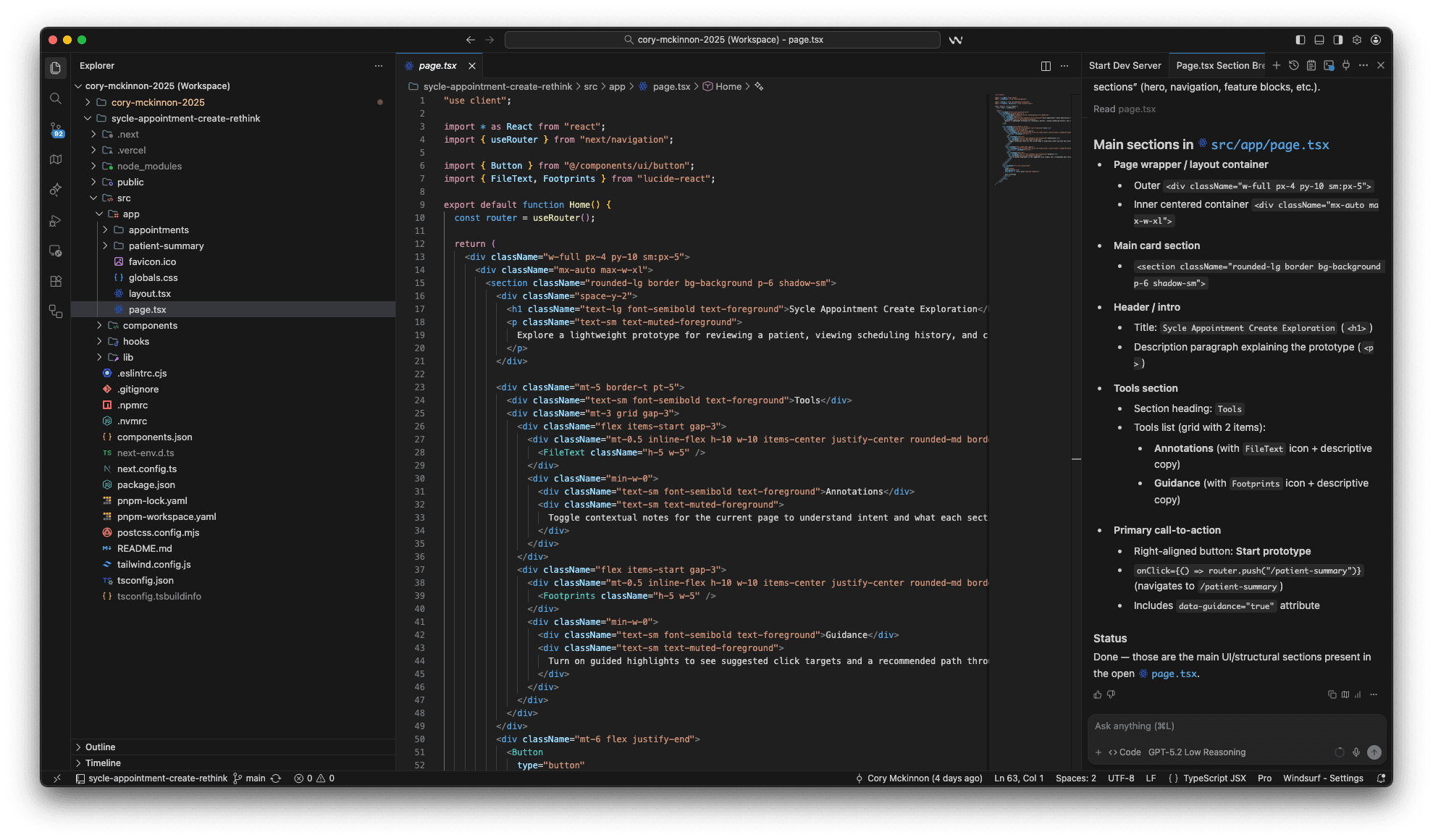
I used Windsurf with structured prompts to generate a clickable Next.js prototype quickly. This allowed me to explore interaction patterns without heavy engineering involvement, iterate on flow structure and language rapidly, and focus on system behavior rather than visual polish.
The prototype simulated patient-first initiation, constraint-driven input, system-generated time options, and calendar attribution after confirmation.
SOLUTION
System-driven scheduling that starts with the patient
The solution reframes appointment creation as a matching problem: staff define the intent and constraints, and the system does the heavy lifting to surface valid options. This reduces scanning, prevents conflicts, and makes scheduling more consistent as rules and resources grow.
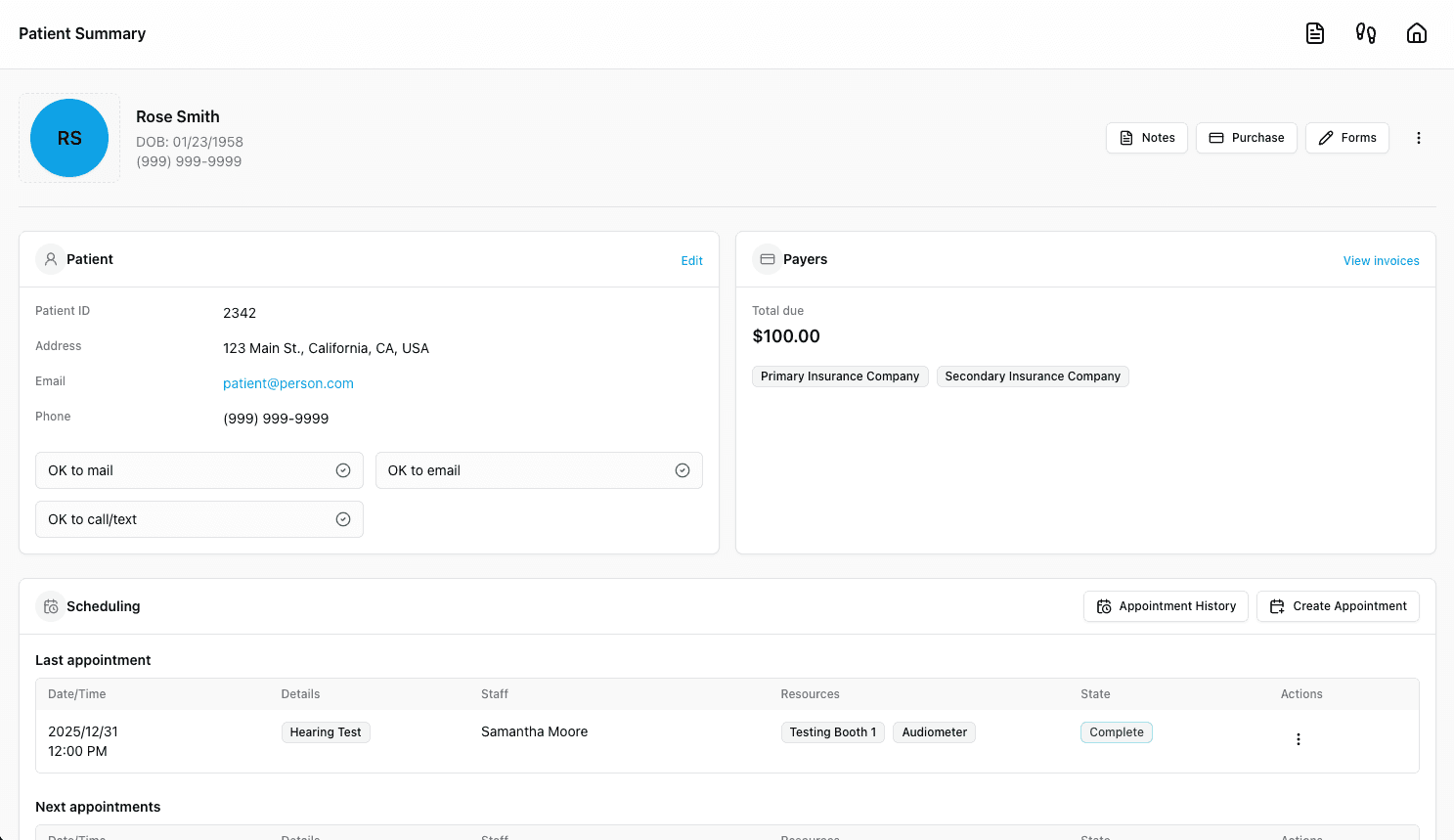
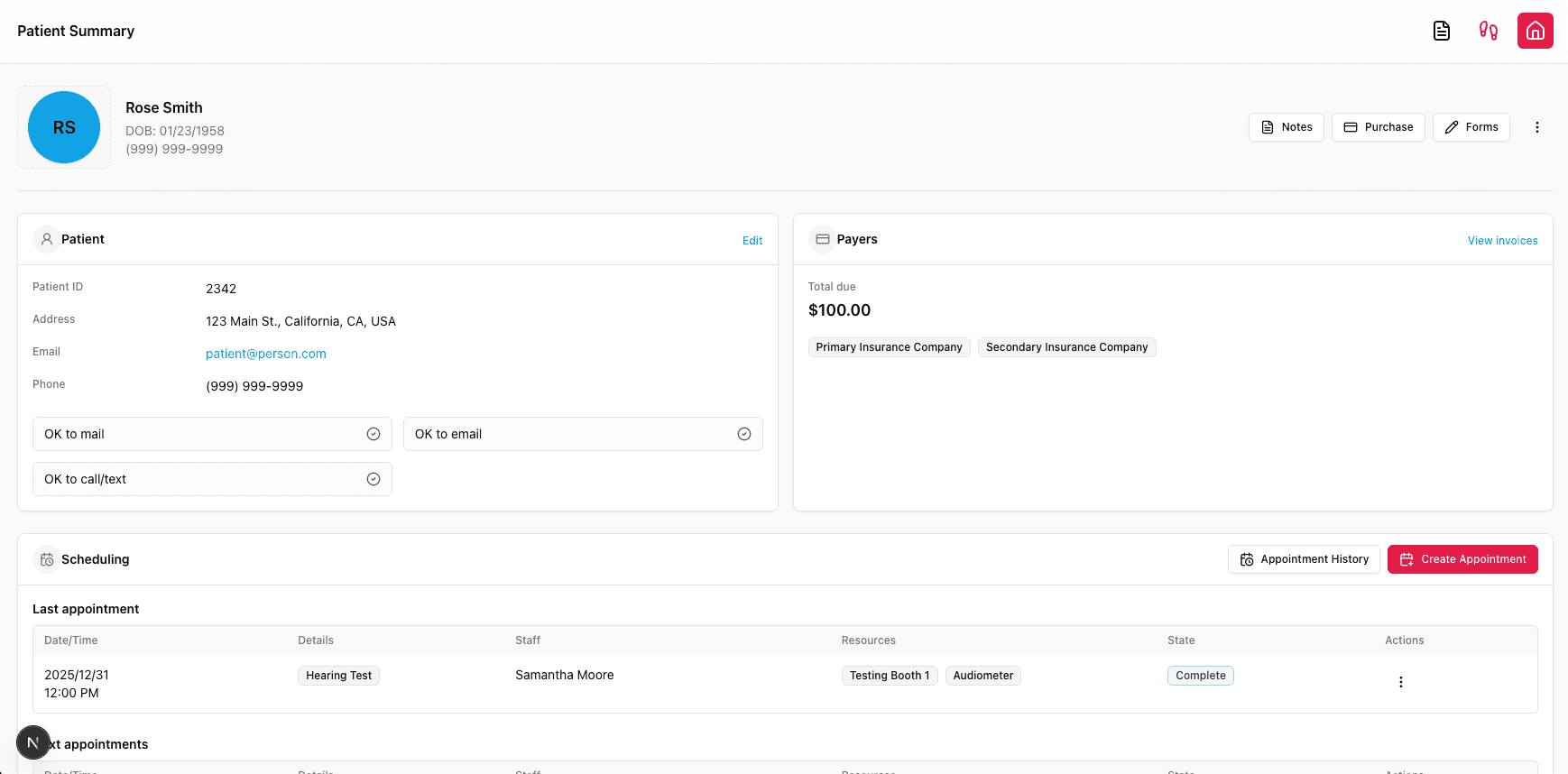
Explore the prototype1 - Patient scheduling overview
Begin in the patient context to review recent activity and current bookings before acting.
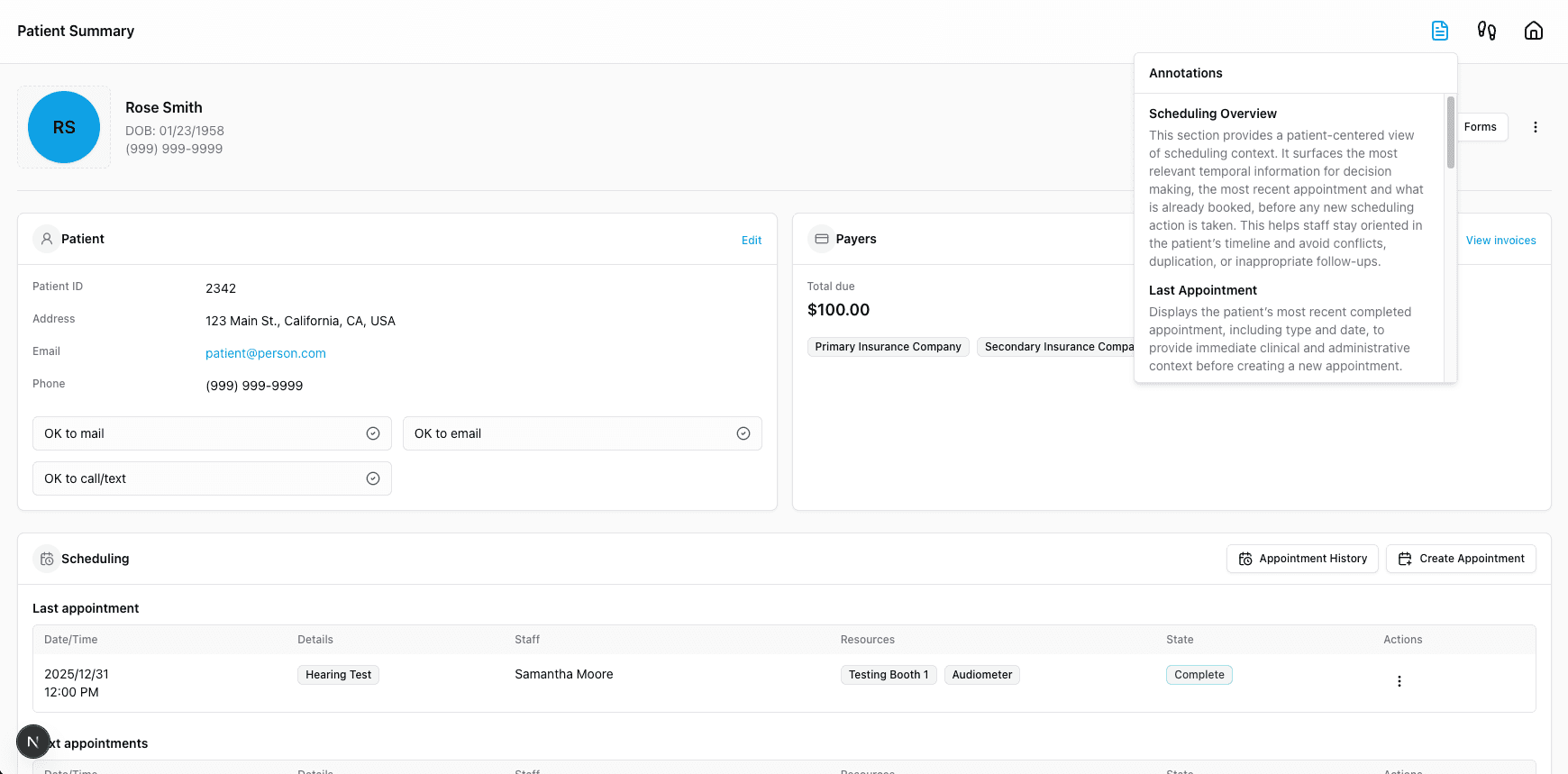
2 - Annotations feature
Each page has an annotations feature to assist designers, developers and product managers when refining the design .
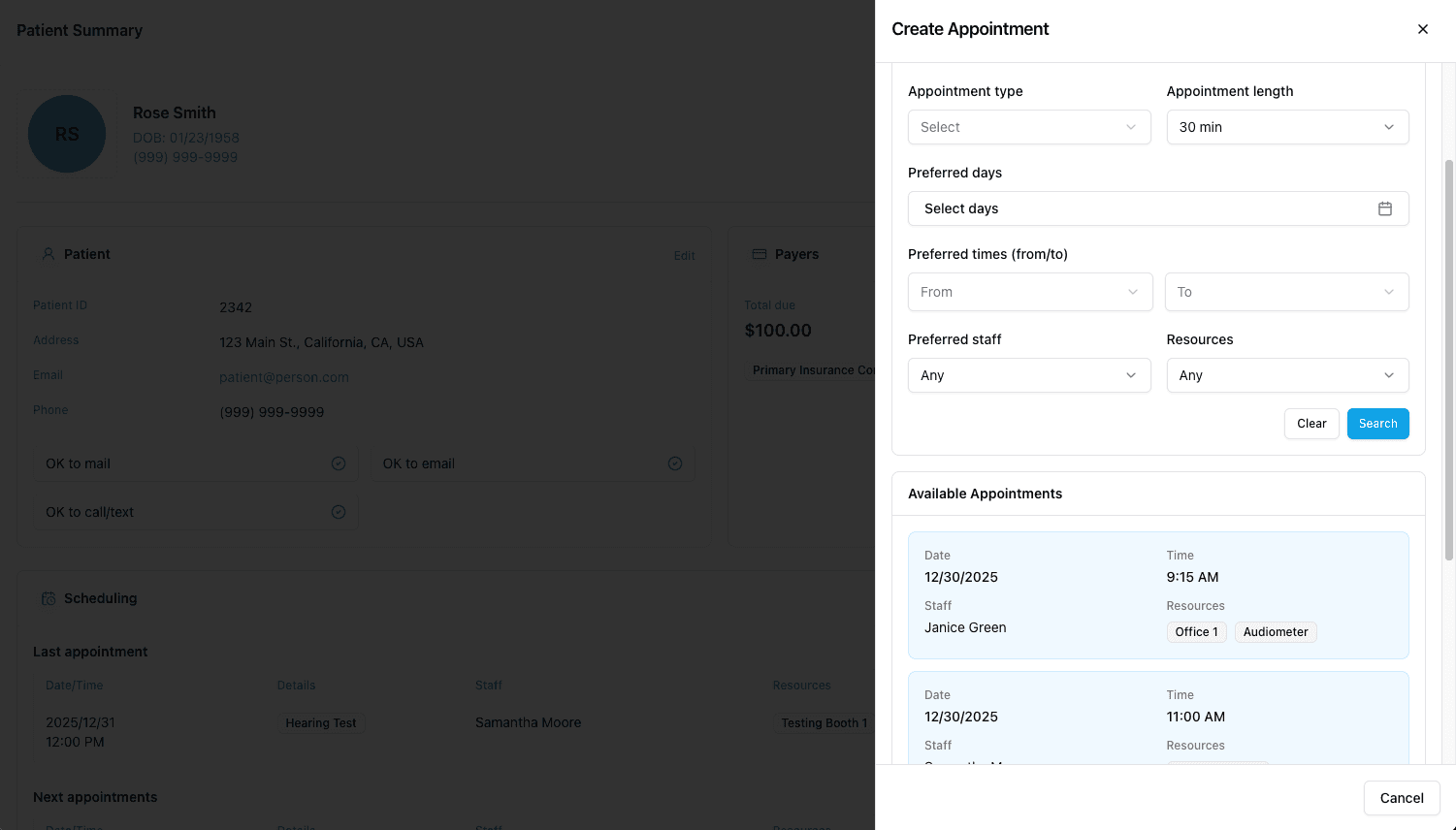
3 - Review recommended options
The system evaluates availability and rules, then returns a small ranked set of valid times to choose from.
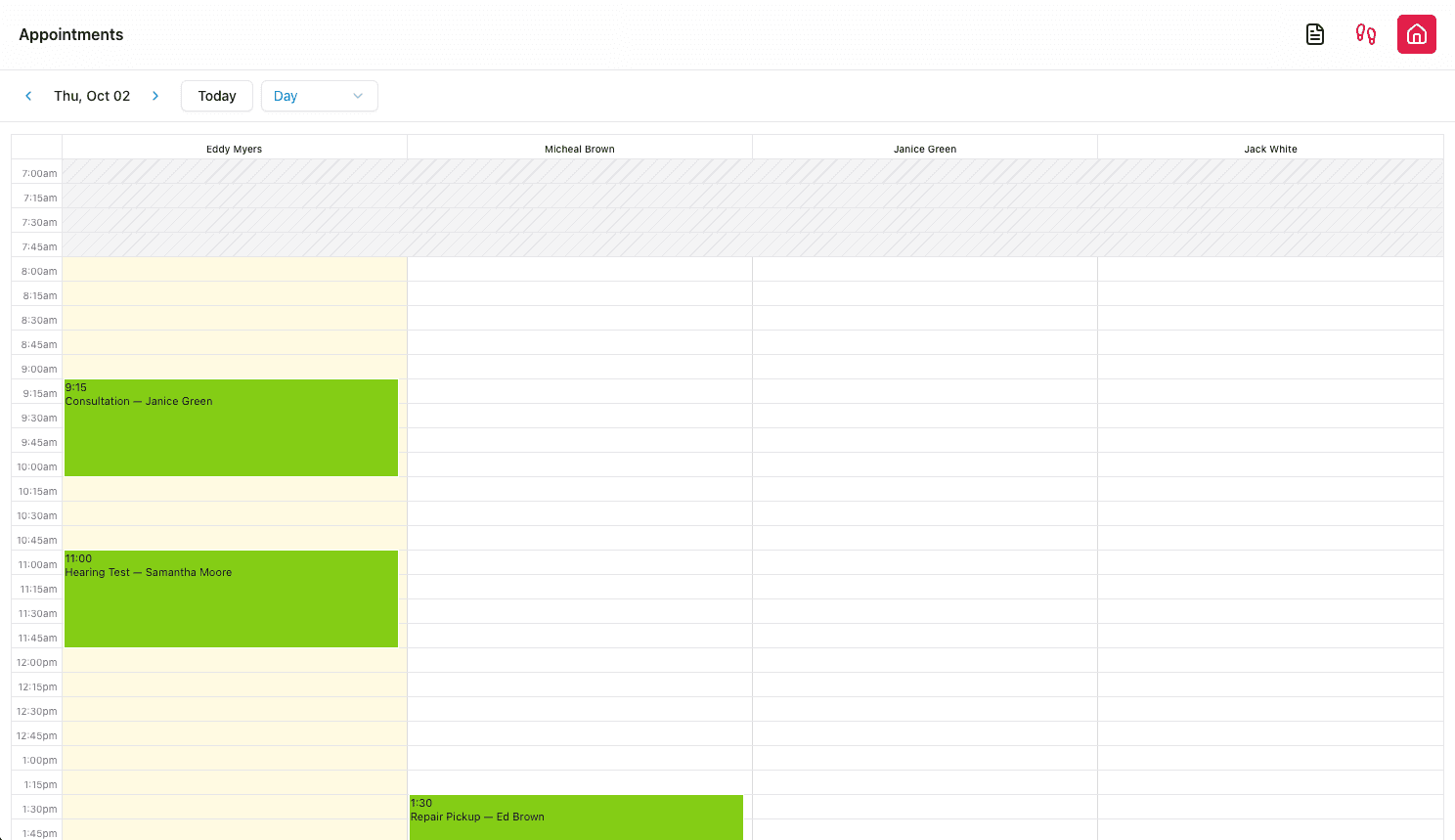
4 - Confirm and attribute to calendar
Selecting an option creates the appointment, assigns it to the correct calendar block, and confirms success.
VALIDATION
Shared with stakeholders, received positive feedback and healthy caution
I presented the concept and prototype to product and leadership stakeholders. The feedback was positive, particularly around the clarity of the mental model shift, the reduction of manual scanning and guesswork, and the alignment with long-term system scalability.
At the same time, there was healthy caution. This represents a fundamental shift in how users think about scheduling. It touches workflows, habits, training, and expectations across the organization.
This is not a small change.
REFLECTIONS
Shifting system responsibility changes mental models
This project changed how I think about workflow design in complex systems.
System role problems
Many UX problems are actually system role problems.
Mental model change
Shifting responsibility from humans to software often requires changing mental models, not just interfaces.
Adoption is the hardest part
The hardest part of innovation is not design or technology, but adoption.
This concept points toward a future where software does more of the heavy lifting, allowing humans to focus on judgment, conversation, and care. It is aspirational, but it is also realistic about the cost of change.
NEXT
Status and next steps
This concept is not currently on the roadmap.
It exists as a validated idea, a working prototype, and a shared reference point for future discussions.
If and when scheduling is revisited at a system level, this exploration provides a foundation for thinking differently about what scheduling can be.
Next Case Study
INNODATA
Designed high-throughput AI/ML tools, improving efficiency by 22% and increasing engagement by 11%
As Senior Product Designer I consolidated moderator tools into a single interface with inline translation and progress tracking for faster annotation.
Explore the Case StudyWorking on something ambitious?
I'd love to hear what you're building.