I built an AI-native design harness and put it to work
Using Claude Code, I built and orchestrated specialized AI agents into a repeatable design harness that accelerated product discovery, prototyping, and iteration.
What previously took weeks of design work could now reach a working prototype in a day or two.
- Role
- Lead Product Designer, harness architect
- Company
- Sycle
- Collaborators
- Product, Engineering, designers and internal stakeholders
- Scope
- Reusable AI-native workflow and a Patient Communications prototype
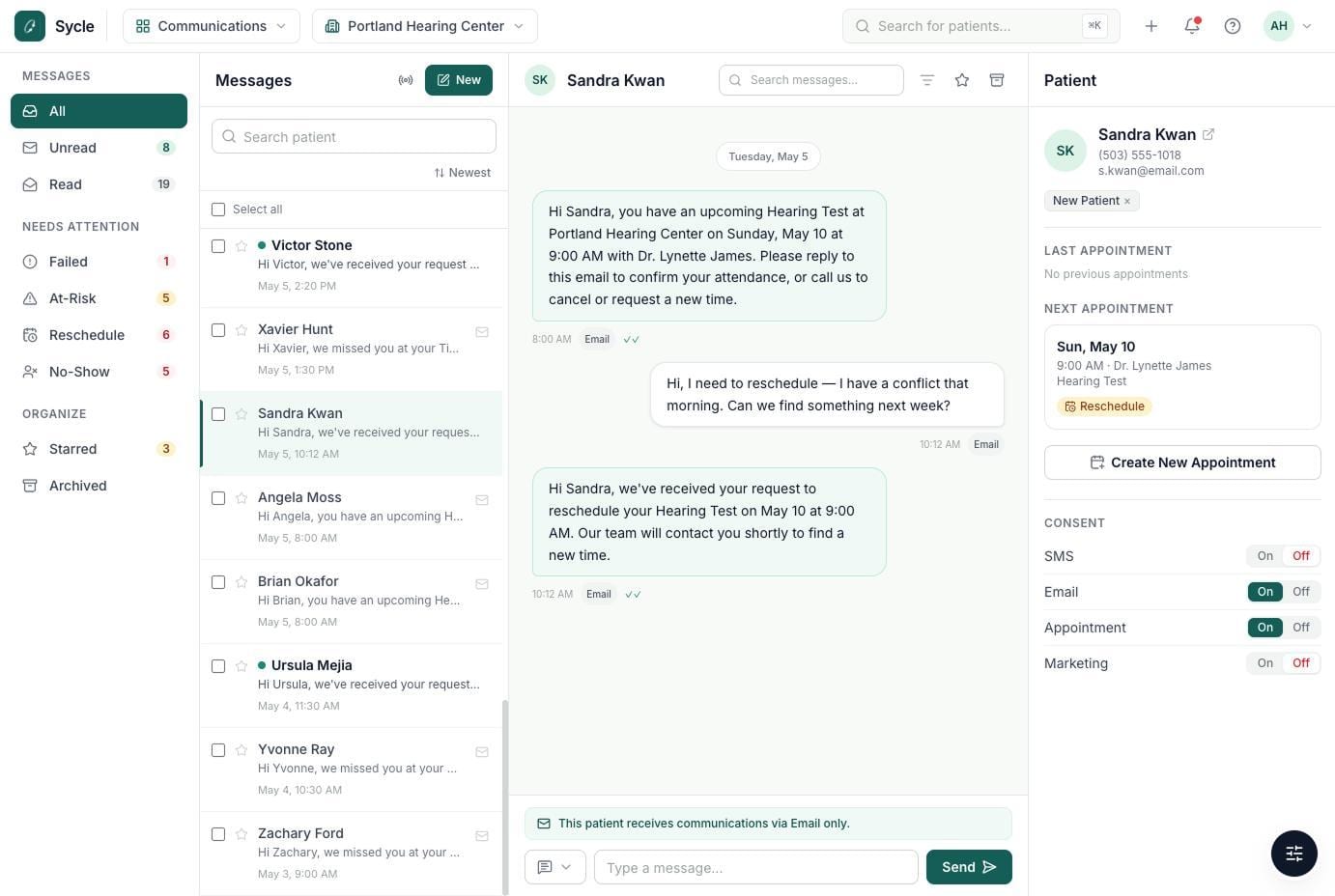
I built a design harness and led its application for Patient Communications
I developed a design harness independently, applied it to Patient Communications, and helped other designers adopt the approach.
AI-native prototyping
Agent architecture, prompts, checkpoints and coded prototypes.
Harness + product concept
A reusable AI-native workflow and the Patient Communications prototype it produced.
Complex product ideas took weeks to make tangible
I wanted to accelerate product discovery, improve stakeholder feedback, and introduce AI-native workflows that the design team could adopt.
Slow, static design exploration
Traditional design workflows took weeks to move from requirements to prototypes, limiting opportunities to explore ideas and incorporate feedback.
Make exploration faster and more iterative
Build a reusable, AI-native process that produces working prototypes quickly while keeping designers in control of decisions.
I orchestrated specialist agents around human decisions
Using Claude Code, I built specialized AI agents and an orchestrator to turn product requirements into working prototypes, with human approval at critical stages.
- 01
Discover
Goals, research and requirements
- 02
Challenge
Research and “Grill Me” questions
- 03
Define
Generate a PRD for review
Human approvalProduct, Design and Engineering approve the PRD - 04
Orchestrate
Coordinate agents and tasks
Human approvalReview scope and implementation plan - 05
Build
Code, test and iterate
Human approvalTest and approve each iteration
Specialist agents, working as one system
I wrote each specialist as a focused prompt with its own inputs, outputs and stopping rules. An orchestrator runs them in sequence within a single conversation, so context carries from research through to code.
-
Research & requirements
Research competitor solutions and best practices, challenge my brief through a Grill Me session one question at a time, and draft a PRD that is only written once it’s approved.
TO_REQUIREMENTSTO_PRD -
Orchestrator & planning
Runs each stage in order and stops at every gate until I continue. Planning turns the approved PRD into a design spec and small build tasks, each flagged as needing human review or safe to run.
STARTTO_ARCHITECTURETO_KANBAN -
Implementation & fixes
Builds the prototype one task at a time, stops on anything the spec doesn’t cover, and waits for me to test each step. A fix loop turns walkthrough notes into tracked changes.
TO_BUILDTO_FEEDBACK_FIX
I structured the harness around specialized agents and human review
Ground agents in product knowledge
I structured requirements, research, and design-system guidance so agents worked within real product constraints.
Question assumptions early
I built research and “Grill Me” steps to expose missing requirements and challenge assumptions before prototyping.
Keep decisions with people
I introduced approval checkpoints for requirements, implementation plans, and prototype iterations.
Patient Communications was an opportunity to put the harness to work
I used the harness to turn early Patient Communications requirements into a working prototype for stakeholder review.
- The opportunity
- Bring patient messaging into Sycle to improve clinic workflows and create a new revenue opportunity.
- What we needed to test
- Managing conversations, patient context, delivery failures, and appointment changes in one experience.
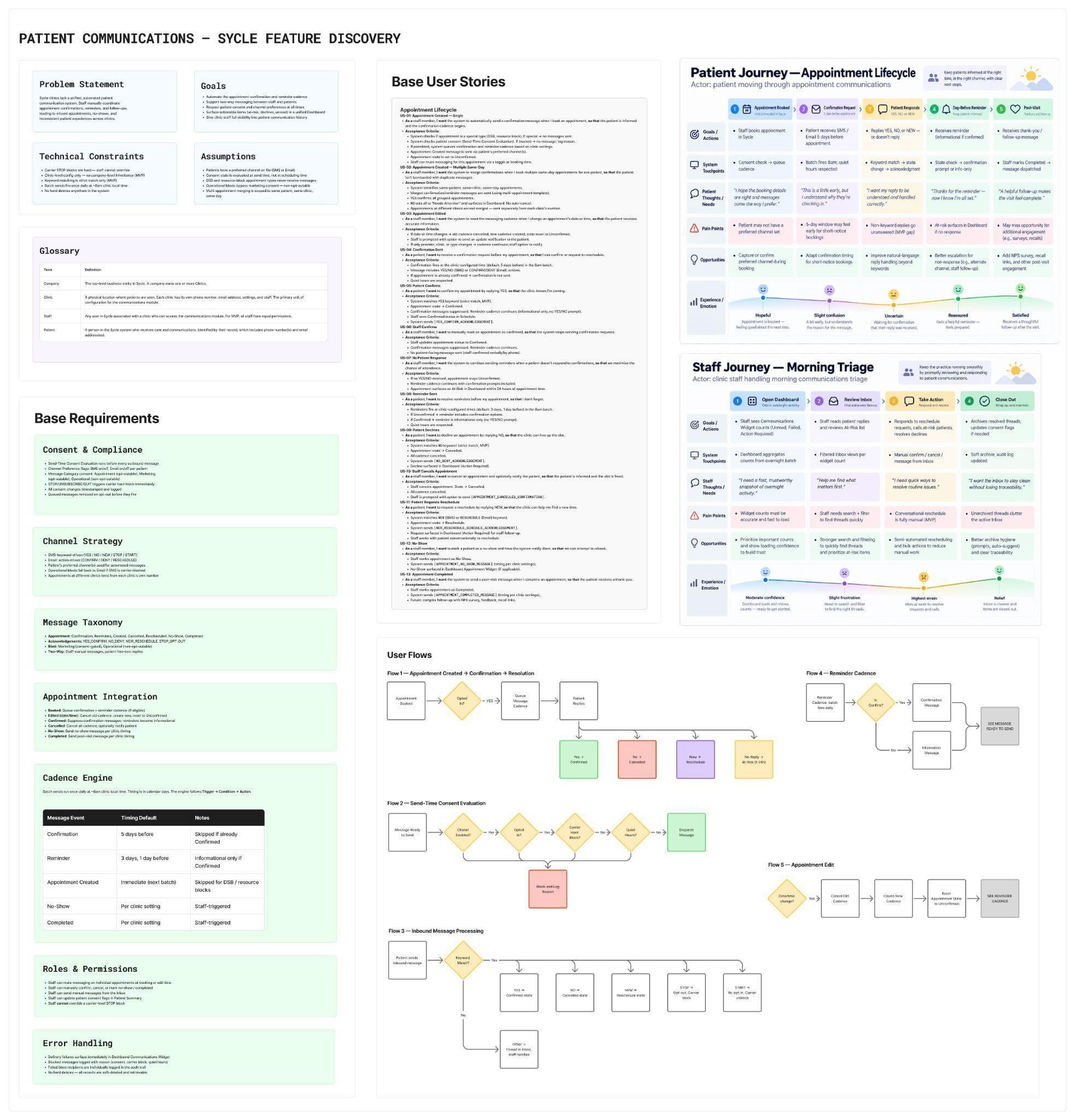
Where my judgment shaped what the agents produced
The initial message categories didn’t reflect how clinics work
- The first pass
- The agent organized messages into categories that didn’t reflect how staff prioritized follow-up.
- My decision
- I introduced a Needs Attention category for failed messages, at-risk appointments, reschedules, and no-shows.
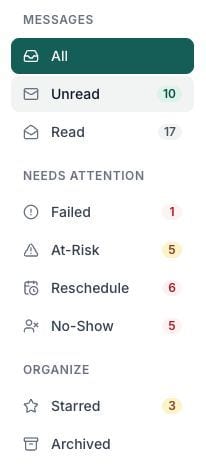
I put patient context alongside each conversation
- The opportunity
- I wanted staff to access patient details without leaving the conversation.
- My decision
- I added a patient panel showing appointments, communication preferences, and consent.
- Why it mattered
- Staff could respond with the right patient and communication context at hand.
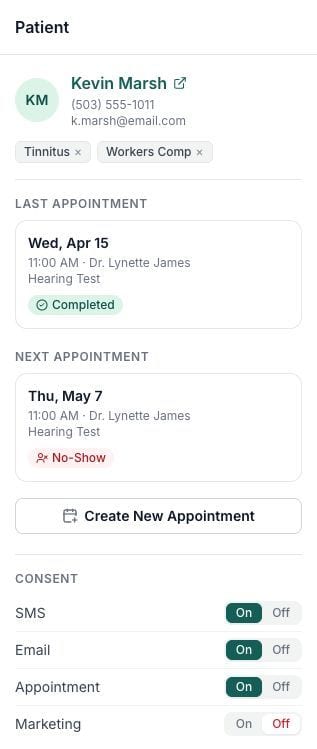
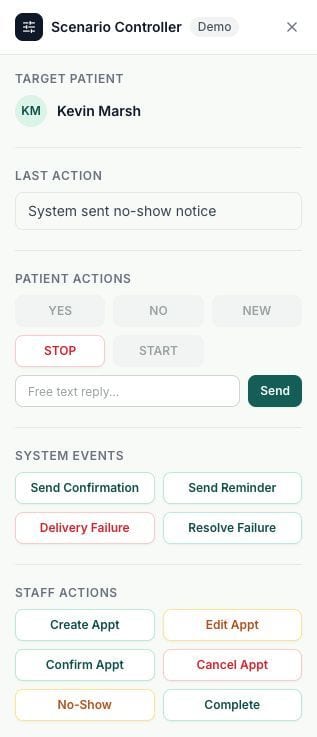
I made messaging workflows testable without a backend
- The constraint
- A standalone prototype couldn’t receive patient replies or system events.
- My decision
- I built a Scenario Controller to simulate patient replies, delivery failures, and appointment changes.
- Why it mattered
- Stakeholders could experience how the interface responded to realistic events before development.
Patient Communications brought messaging and appointments into one experience
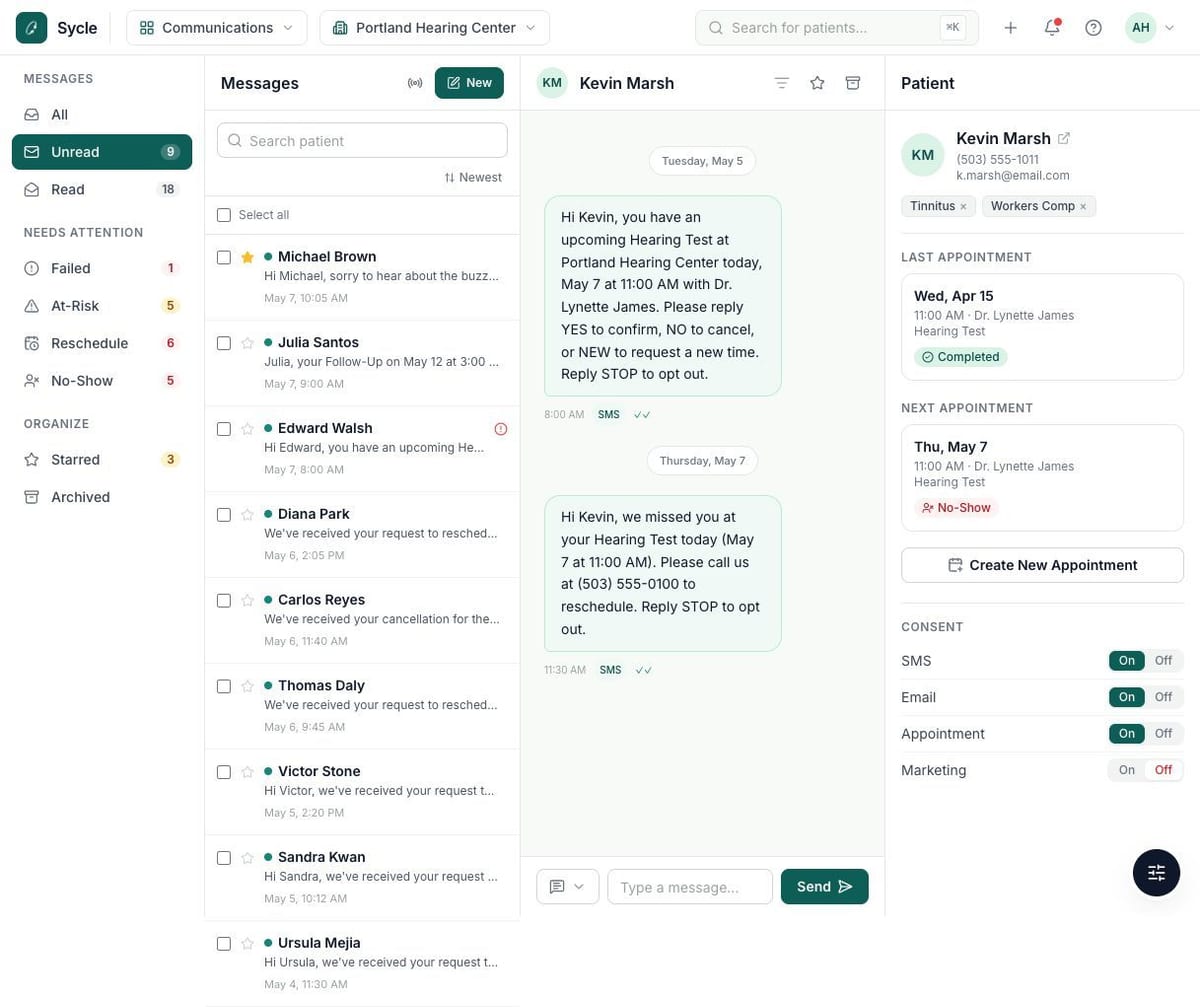
Clinic staff could manage patient conversations, appointment changes, and delivery issues in one place.
Stakeholders could navigate conversations, inspect patient details, and simulate messaging scenarios.
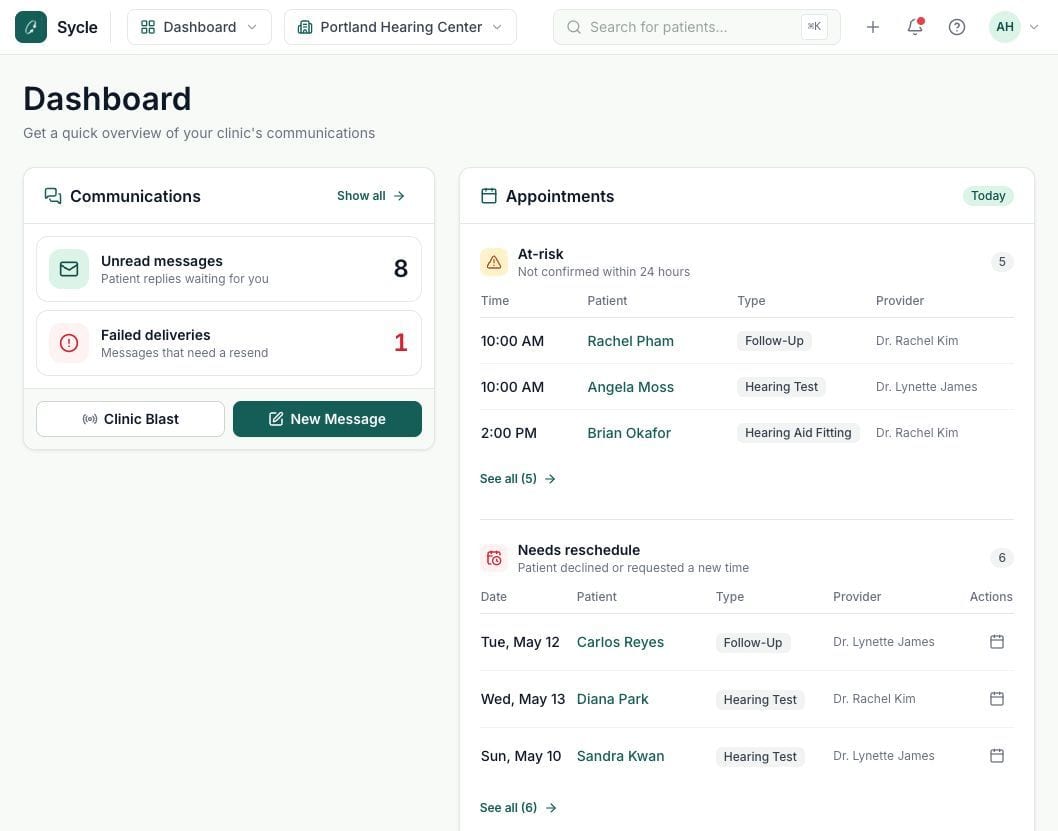
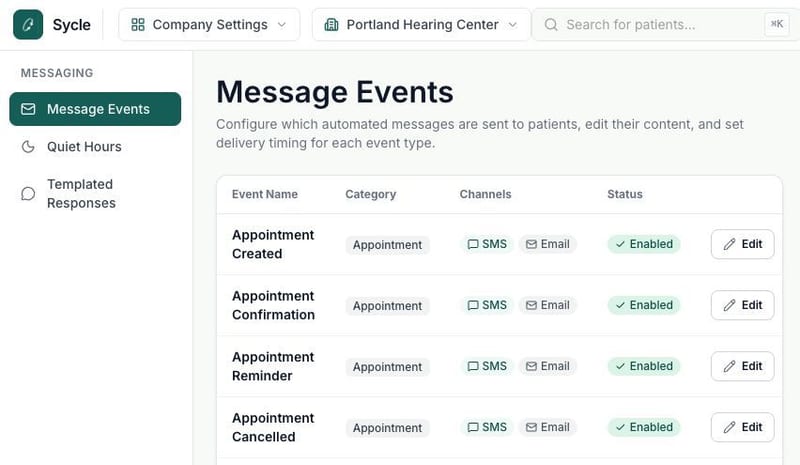
I made communication issues visible in daily clinic work
- Dashboard visibility
- Unread messages, delivery failures and appointments needing follow-up appeared together.
- Actionable states
- Staff could quickly identify issues and see what needed follow-up.
Internal walkthroughs helped to refine Patient Communications
- 1Capture
Focus on the conversation
I recorded and transcribed walkthroughs so I could focus on stakeholder feedback.
- 2Synthesize
Turn feedback into decisions
I used AI to summarize the discussions, then worked with stakeholders to decide what needed to change.
- 3Iterate
Update and test the prototype
I used the harness to implement agreed changes, then reviewed the updated experience.
The harness changed how our team approached product design
What previously took weeks of design work could now reach a first working prototype in one or two days.
I helped both designers adopt the harness for their own feature explorations.
Two Product Managers gained access and began experimenting with the harness.
Building the harness changed how I approached product design
Better inputs led to better results
Clear requirements, design-system guidance, and constraints helped the agents produce more relevant work.
Prototypes changed the conversations
Stakeholders could experience real workflows, uncover missing requirements, and give more useful feedback.
Measure and improve the process
Track prototyping time, improve reusable components, and test Patient Communications with clinic staff.